Key Takeaways
- A strong and reliable Wi-Fi connection is essential for smart home devices to work properly throughout the house.
- Choosing one smart home ecosystem early helps avoid compatibility issues between devices.
- Starting with basic smart upgrades like lighting, thermostats, and security systems makes installation easier and more affordable.
- Homeowners should evaluate their electrical system before installing advanced smart technology, especially in older homes.
- Smart home automation can improve convenience, energy efficiency, and home security when set up correctly.
- Cybersecurity and privacy protection are important because smart devices constantly collect and share data.
- Planning for future upgrades allows homeowners to expand their smart home system without replacing existing devices.
Smart homes are no longer just a luxury for tech lovers. Today, more homeowners are adding smart devices to improve comfort, security, energy savings, and convenience. From smart thermostats and lighting systems to video doorbells and voice assistants, smart technology is becoming a normal part of modern living.
But before you buy a cart full of gadgets, it’s important to understand what goes into a successful smart home installation. Many homeowners rush into buying devices without checking compatibility, internet strength, electrical systems, or long-term costs. This can lead to frustration, wasted money, and systems that do not work together properly.
If you are thinking about upgrading your home with smart technology, this guide will walk you through everything you need to know before you start.
Understand What a Smart Home Really Means
A smart home uses internet-connected devices that can be controlled remotely through a smartphone, tablet, or voice assistant. These devices can also automate tasks based on schedules, motion, temperature, or user preferences.
Some common smart home devices include:
- Smart lights
- Smart locks
- Video doorbells
- Smart thermostats
- Smart security cameras
- Smart speakers
- Smart plugs
- Smart appliances
- Automated blinds
- Smart smoke detectors
Many devices can connect and work together. For example, your smart lights can turn on automatically when your security camera detects motion at night.
Before you begin installing devices, think about your goals. Are you focused on:
- Better home security?
- Lower energy bills?
- Convenience and automation?
- Entertainment upgrades?
- Aging-in-place features?
- Increasing home value?
Knowing your priorities helps you avoid buying unnecessary gadgets.
Check Your Internet Connection
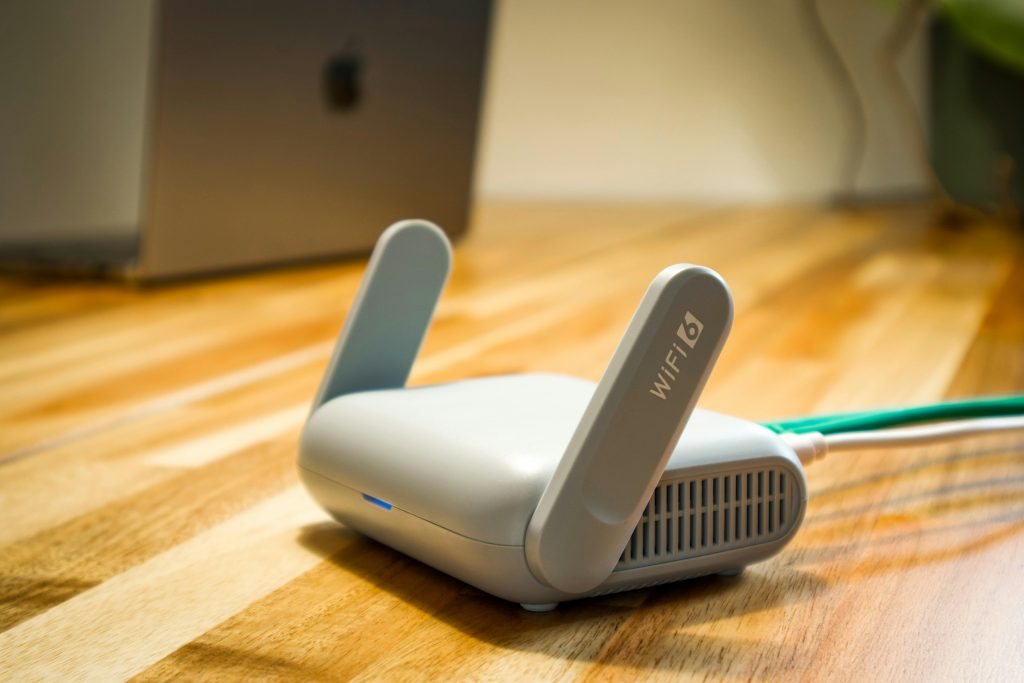
A strong internet connection is the foundation of every smart home. Most smart devices depend on Wi-Fi to function properly. Weak internet signals can cause devices to disconnect, respond slowly, or stop working entirely.
Before installing smart technology, test your Wi-Fi speed and coverage throughout your home.
Signs Your Wi-Fi May Need an Upgrade
- Slow streaming or buffering
- Dead zones in certain rooms
- Devices disconnecting often
- Weak signal outdoors
- Slow app response times
Large homes may need a mesh Wi-Fi system to improve coverage. Mesh systems use multiple access points placed around the home to create stronger and more reliable signals.
If you plan to install several smart devices, especially cameras or video systems, consider upgrading your internet plan for better bandwidth.
Decide Between DIY or Professional Installation
Some smart home devices are easy to install yourself, while others may require professional help.
DIY-Friendly Devices
These are usually simple and come with mobile app instructions:
- Smart plugs
- Smart bulbs
- Video doorbells
- Smart speakers
- Smart thermostats
- Indoor cameras
Devices That May Need a Professional
More advanced systems may require electrical work, wiring, or network setup:
- Smart security systems
- Whole-home automation systems
- Smart electrical panels
- Built-in speakers
- Motorized blinds
- Smart garage systems
Hiring a professional can help prevent installation errors and improve long-term performance.
Choose a Smart Home Ecosystem
One of the biggest mistakes homeowners make is buying devices that do not work together.
Before purchasing devices, choose the ecosystem you want to use. The most common smart home platforms include:
- Amazon Alexa
- Google Home
- Apple HomeKit
- Samsung SmartThings
Each platform supports different devices and features. Some products work across multiple ecosystems, while others are more limited.
If you already use certain products, it may make sense to stay within the same ecosystem for easier control and automation.
For example:
- iPhone users may prefer Apple HomeKit
- Android users often choose Google Home
- Amazon Alexa works with a large number of smart products
Compatibility matters. Always check product packaging or specifications before buying.
Think About Future Expansion
Smart homes often grow over time. You may start with smart lighting and later decide to add cameras, locks, or appliances.
Choose systems that allow future upgrades. Buying flexible products now can save money later.
Think about:
- Number of devices supported
- Expandable storage
- Additional smart hubs
- Voice assistant compatibility
- App features
- Automation options
A little planning now can prevent replacing entire systems later.
Focus on Home Security First
Many homeowners start their smart home journey with security upgrades. Smart security devices can improve safety and provide peace of mind.
Popular smart security features include:
Smart Cameras
Indoor and outdoor cameras allow you to monitor your home remotely. Many models include:
- Motion detection
- Night vision
- Two-way audio
- Cloud storage
- Smartphone alerts
Video Doorbells
Video doorbells let you see and speak with visitors from your phone, even when you are away from home.
Smart Locks
Smart locks allow keyless entry through:
- PIN codes
- Mobile apps
- Fingerprint access
- Temporary guest codes
Smart Sensors
Door and window sensors alert you when something opens unexpectedly.
When choosing security devices, look for products with encrypted data and strong privacy settings.
Evaluate Your Home’s Electrical System
Older homes may need electrical upgrades before installing advanced smart systems.
Smart devices can place additional demands on wiring and power systems. If your home has outdated electrical wiring, you may experience:
- Tripped breakers
- Power fluctuations
- Poor device performance
It is a good idea to have an electrician inspect your system if:
- Your home is over 30 years old
- Lights flicker often
- You use extension cords frequently
- Breakers trip regularly
Some devices also require neutral wires, which may not exist in older switch boxes.
Plan for Smart Lighting
Smart lighting is one of the easiest and most popular upgrades.
You can control lights through:
- Voice commands
- Mobile apps
- Motion sensors
- Schedules
- Automation routines
Smart lighting can also improve energy efficiency.
Smart Lighting Tips
- Use LED smart bulbs for lower energy use
- Install dimmers for flexible lighting
- Group lights by room
- Create scenes for different activities
For example:
- Movie mode
- Night mode
- Vacation mode
- Morning routines
Outdoor lighting can also improve curb appeal and safety. Some homeowners combine smart exterior lighting with landscaping and even research tips for modern roofing designs to create a more connected and visually appealing exterior renovation plan.
Consider Energy Savings
One major advantage of smart homes is improved energy efficiency.
Smart devices help reduce wasted electricity and heating costs by automating systems and tracking usage.
Energy-Saving Smart Devices
Smart Thermostats
These devices learn your habits and adjust temperatures automatically. Many homeowners save money on heating and cooling costs.
Smart Plugs
Smart plugs let you turn devices off remotely and schedule operation times.
Smart Blinds
Automated blinds can reduce indoor heat during summer and help maintain warmth during winter.
Smart Irrigation Systems
These systems monitor weather conditions and avoid unnecessary watering.
Over time, energy savings can offset part of the installation cost.
Think About Privacy and Cybersecurity
Smart homes collect and transmit data constantly. This makes cybersecurity extremely important.
Without proper security, hackers could potentially access cameras, microphones, or personal information.
Smart Home Security Tips
- Use strong passwords
- Enable two-factor authentication
- Update device software regularly
- Avoid public Wi-Fi for device setup
- Use a secure home network
- Separate smart devices on a guest network if possible
Research brands carefully before buying. Some companies have better security reputations than others.
Budget Beyond the Devices
Many people underestimate the total cost of a smart home installation.
Besides the devices themselves, you may also need:
- Wi-Fi upgrades
- Smart hubs
- Subscription services
- Professional installation
- Electrical upgrades
- Cloud storage plans
Start with a realistic budget and prioritize the most useful upgrades first.
Example Starter Budget
Basic smart home setup:
- Smart speaker
- Video doorbell
- Smart thermostat
- Smart bulbs
- Smart plugs
More advanced systems can quickly cost several thousand dollars.
Start small and build gradually.
Learn About Smart Hubs
Some smart homes need a central hub to connect devices together.
A smart hub acts as the control center for automation and communication between products.
Not every system requires a hub, but larger setups often benefit from one.
Benefits of Smart Hubs
- Better automation
- Improved device compatibility
- Faster communication
- Centralized control
- Reduced Wi-Fi congestion
Popular hubs include:
- Samsung SmartThings
- Hubitat
- Amazon Echo devices
- Apple Home hubs
Understand Automation Rules
Automation is what makes smart homes truly convenient.
Instead of manually controlling devices, you create routines that happen automatically.
Common Automation Examples
- Lights turn on at sunset
- Thermostat adjusts when you leave home
- Doors lock automatically at bedtime
- Coffee maker starts every morning
- Security cameras activate when motion is detected
Automation can save time, improve comfort, and increase efficiency.
Prepare for Smart Appliance Integration
Modern appliances are becoming smarter every year.
You can now find:
- Smart refrigerators
- Smart ovens
- Smart washers and dryers
- Smart air conditioners
- Smart vacuums
Before buying smart appliances, check:
- App compatibility
- Warranty support
- Software updates
- Energy efficiency ratings
Not every appliance needs smart features. Focus on upgrades that genuinely improve your daily routine.
Think About Resale Value
Smart home upgrades can increase home appeal for buyers, especially younger homeowners who value technology and convenience.
Popular resale-friendly upgrades include:
- Smart thermostats
- Smart security systems
- Video doorbells
- Smart lighting
- Smart locks
However, avoid overly complicated systems that may confuse future buyers.
If you own rental properties, smart devices can also help with monitoring, maintenance, and tenant convenience. Some landlords include smart upgrades as part of their rental property investment tips strategy to attract long-term tenants and increase property value.
Avoid Common Smart Home Mistakes
Many homeowners regret rushing into installations without proper planning.
Common Mistakes to Avoid
Buying Too Many Devices at Once
Start with a few key products and learn how they work before expanding.
Ignoring Compatibility
Always verify that devices work with your chosen ecosystem.
Weak Wi-Fi Setup
Poor internet coverage causes constant frustration.
Overcomplicated Automation
Simple routines are usually more reliable and easier to manage.
Forgetting About Privacy
Secure your devices from the beginning.
Create a Smart Home Plan
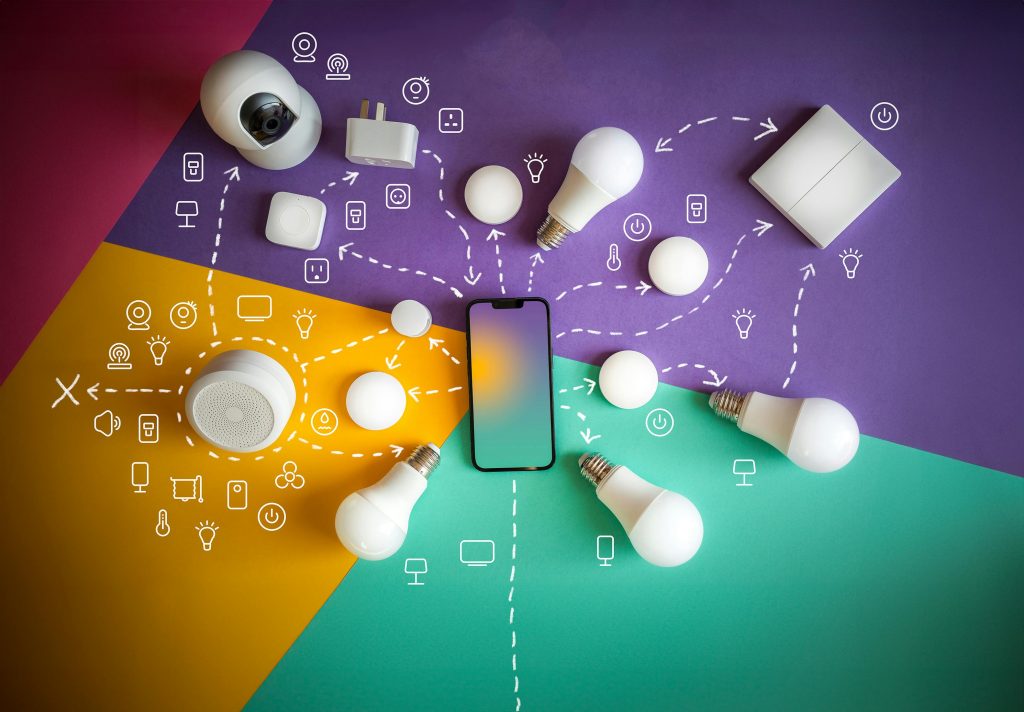
Before making purchases, create a simple installation plan.
Questions to Ask Yourself
- What problems am I trying to solve?
- Which rooms need upgrades first?
- What is my budget?
- Which ecosystem do I prefer?
- Will I expand later?
- Do I need professional help?
A written plan helps avoid impulse purchases and keeps your project organized.
Room-by-Room Smart Home Ideas
Living Room
- Smart TV
- Smart lighting
- Voice assistant
- Smart blinds
- Smart speakers
Kitchen
- Smart plugs
- Smart appliances
- Voice-controlled timers
- Smart smoke detectors
Bedroom
- Smart alarm clocks
- Automated lighting
- Smart thermostat control
- Motorized blinds
Bathroom
- Smart exhaust fans
- Leak sensors
- Smart mirrors
Outdoor Areas
- Smart irrigation
- Outdoor cameras
- Motion lighting
- Smart garage door openers
Maintenance Matters Too
Smart homes require ongoing maintenance.
Tasks include:
- Updating apps and firmware
- Replacing batteries
- Monitoring subscriptions
- Checking automation settings
- Testing sensors and cameras
Technology changes quickly, so expect occasional upgrades over time.
Final Thoughts
Smart home installation can improve comfort, convenience, security, and energy efficiency when done correctly. But successful smart homes require more than simply buying the newest gadgets.
Before you start, take time to evaluate your internet connection, electrical system, budget, security needs, and long-term goals. Choose compatible devices, protect your privacy, and build your system gradually.
A thoughtful approach will help you create a smart home that works smoothly, supports your lifestyle, and adds value to your property for years to come.